

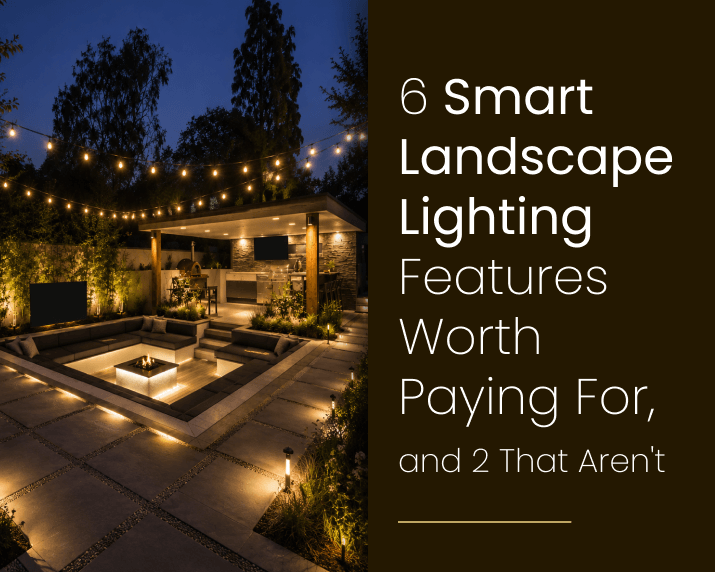
Smart landscape lighting is one of those product categories where the marketing outruns the reality. Every manufacturer lists fifteen features. Most of them solve problems you don’t have.
Some smart lighting features genuinely change how you use your outdoor space, save energy, and make the system easier to live with. A few exist mainly to justify a higher price tag. Knowing which is which before you start speccing a system saves money and avoids buyer’s remorse on a project that typically runs $5,000 to $25,000 depending on scope.
This guide covers the six smart landscape lighting features worth adding to that conversation, the two that most LA homeowners can skip, and how to think about system type before you start comparing fixtures.
How Smart Landscape Lighting Actually Works
A conventional low-voltage landscape lighting system runs from a transformer. You set a timer. Everything turns on and off at fixed times, and that’s largely it. Set the schedule in March and it runs those exact same on/off times in July, in October, and every other month of the year. The system has no way to adjust on its own.
Smart systems replace or augment that fixed timer with a controller that can communicate with your phone, your home network, or a dedicated hub. That communication channel is what enables the features worth paying for. And there are three basic types worth understanding before you pick one.
WiFi-based systems connect the transformer or individual fixtures directly to your home’s WiFi network and are managed through a manufacturer app. Setup is generally straightforward, but performance depends on your network signal actually reaching the outdoor transformer location, which can be further from your router than you’d expect on a larger property.
Hub-based systems use a dedicated bridge or controller that communicates via its own protocol. Lutron’s RadioRA and FX Luminaire’s ZD system are the two you’ll see most often on professional installations in LA. These are more reliable for larger properties because they don’t depend on consumer WiFi stability.
Smart timer controllers fall somewhere in between. They look like traditional transformers but include astronomical clock functions, basic scheduling, and in some cases app connectivity without full smart home integration. For most residential customers, these handle everything they actually use.
For professional landscape lighting installations in Los Angeles, hub-based and smart transformer systems are more common than fixture-level WiFi because they’re more reliable over time and easier to service when something needs replacing two years down the road.

The 6 Smart Landscape Lighting Features Worth the Cost
1. Automatic Sunset and Sunrise Scheduling
Honestly, this one feature alone justifies a smart transformer on most properties.
A standard timer runs whatever you programmed on a fixed schedule, say 7:00 PM to 11:00 PM year-round. The problem is that sunset in Los Angeles moves by nearly two hours between June and December. A fixed 7:00 PM trigger means your lights come on in broad daylight all summer and miss the early dark in winter. You’re either burning energy when you don’t need to or leaving your property dark during the hours that matter.
Astronomical clock scheduling adjusts on/off times automatically based on your GPS coordinates and the actual sunset and sunrise each day. You set it once. The U.S. Department of Energy notes that outdoor lighting with time-based controls can cut energy use by 30 to 60 percent compared to fixed-schedule systems, and astronomical scheduling is the simplest version of that. In practice, it’s the one smart feature that saves real money without requiring you to do anything after the initial setup.
2. App-Based Zone Control
Most landscape lighting systems have multiple zones: front yard, backyard, pool area, driveway, garden beds. A standard transformer lets you set different schedules per zone, but adjusting them typically requires walking to the transformer and working the controls directly, which almost nobody actually does.
App-based zone control lets you manage each zone from your phone. You can turn individual zones on or off in real time, adjust a schedule without going outside, and check system status from the airport. If you’re hosting a backyard dinner in Brentwood and want the pool area at full output, you do it from inside. If you’re traveling and want the front yard to look occupied, you do it from wherever you have a signal.
The benefit scales with property size. A smaller front-only installation probably doesn’t need it. But a property with distinct front yard, backyard, pool, and driveway zones gets real use out of zone control on a regular basis.
3. Dimming Control
Most people assume dimming is a luxury. For landscape lighting specifically, it’s more practical than that.
Full brightness on a well-designed system looks right during a dinner party on the back terrace in Pacific Palisades. The same full brightness at 11 PM when the house is quiet tends to look harsh and can bother neighbors if uplights hit mature trees near a property line. Being able to pull zones down to 40 or 60 percent after 10 PM is genuinely useful.
There’s a longevity argument here, too. LED fixtures driven at 70 percent of rated output run cooler and last noticeably longer than fixtures pushed to maximum continuously. For a system with 50-plus fixtures across a large LA property, that difference adds up over a five-year period.
One requirement worth flagging at the design stage: dimming needs a transformer and fixtures that are rated for it together. Not all LED landscape fixtures dim smoothly. Pairing a dimmable transformer with non-dimmable fixtures produces flicker or uneven output. Get this specified upfront, not after installation.
4. Smart Home Voice and Ecosystem Integration
If your home already runs on Amazon Alexa, Google Home, or Apple HomeKit, landscape lighting that integrates with those ecosystems is worth having. The case for it isn’t about novelty. It’s about consolidation.
A single “goodnight” routine that turns off your interior lights, locks the doors, sets the thermostat, and dims the landscape lighting to 20 percent before shutting off at midnight is more convenient than managing those systems separately. Once the routine is built, it runs without you thinking about it.
But integration quality varies a lot. Lutron-based professional systems have reliable, well-tested integrations with all three major ecosystems. Some budget WiFi transformer brands have integrations that drop offline every few weeks or need re-pairing after firmware updates. If ecosystem integration matters to you, specify it at the system selection stage and confirm the integration actually has a track record of staying connected before you commit.
5. Scene and Schedule Presets
Related to zone control, scene presets let you save lighting configurations by name and trigger them with a single tap or voice command. You might have an evening setup, a party configuration, a security mode, and a holiday preset saved and ready to go.
For properties used for entertaining, this is practical rather than gimmicky. The difference between a normal Tuesday evening setup and a configuration for a dinner party is real: brighter zones near the dining terrace, pool lights at a different level, front path lights at full output for arriving guests. Saving that as a named scene means you activate it once rather than adjusting six individual zones each time.
For everyday use, this feature gets used less. Most households settle into two or three standard configurations and leave them running on schedule. Still, if your property hosts events even a few times a year, scene presets earn their place.
6. Remote Access and Fault Monitoring
Smart systems with remote status monitoring can notify you when a zone stops responding. Typically that means a transformer circuit has tripped, a fixture has failed, or a cable connection has come loose.
With a standard system, you’d find out when you walked outside and noticed the backyard was dark. With a smart system that includes monitoring, you get a notification on your phone. On a larger property with 75 to 100 fixtures across multiple zones, catching a problem quickly versus leaving it for weeks matters both for security and for fixture longevity. A failed connection in a damp zone can cause corrosion at the splice point if it sits long enough, and in coastal LA neighborhoods that’s not a hypothetical.
This feature is most relevant for larger installations. A basic 12-fixture front yard system doesn’t generate enough complexity to make fault monitoring a primary argument on its own.

The 2 Smart Features Most LA Homeowners Can Skip
1. RGBW Color-Changing Fixtures
Color-changing landscape lighting, fixtures that shift between white, amber, red, blue, green, and anything in between, are a standard feature on many smart lighting product lines. The demos look impressive. In practice, real-world use rates tend to be lower than the showroom suggests.
Most LA residential properties are designed around a specific aesthetic: warm white uplighting on specimen trees, 2700K path lighting, neutral architectural accents. A mature oak lit in deep amber looks intentional and well-considered. The same tree lit in blue-green for a party on Saturday and back to amber on Sunday looks like a novelty. And honestly, by month two, it stays on warm white permanently anyway.
There are specific cases where color-changing makes sense: holiday lighting configurations, properties with pools or water features where color temperature adds a visual effect, and commercial venues with dedicated event spaces. For standard residential landscape lighting in Encino, Calabasas, or the South Bay, though, RGBW usually isn’t pulling its weight.
The cost premium for RGBW-capable fixtures over standard LED fixtures is real, and maintenance is more complex when a channel fails. Unless you have a specific use case in mind, specify high-quality warm white fixtures and put that budget toward better coverage and fixture quality instead.
2. Motion-Activated Landscape Lighting
Motion activation sounds like a natural fit: lights that turn on when you walk through the yard at night. In practice, it solves a different problem than most landscape lighting is designed for.
Landscape lighting is a fixed ambient layer. It makes your property look right at night, enhances architecture, and provides consistent path safety. Motion activation works well for security lighting: a bright fixture that snaps to full output when movement is detected at the perimeter, driveway, or near an entry point.
Mixing the two creates problems worth avoiding. A beautifully lit garden bed with uplights that snap off when no one walks by doesn’t look right from the street. Guests moving through the yard trigger constant on/off cycling on zones that should be providing steady ambient light. The behavior that works for security lighting actively undermines what landscape lighting is supposed to do.
If you want motion-sensitive fixtures, put them on separate circuits dedicated to outdoor security lighting, not tied into the landscape lighting zones. The two functions work better when they’re designed independently.
There’s also a practical programming issue. Smart lighting apps that control zone schedules aren’t built to handle the kind of real-time motion logic that security lighting needs. You’d be layering a motion trigger on top of a scheduled zone and hoping the app handles the conflict gracefully. A dedicated security circuit with its own motion-activated fixtures avoids that entirely and performs the security function more reliably.

WiFi vs. Hub-Based Systems: What Actually Matters for Your Property
The choice between a WiFi smart landscape lighting system and a hub-based professional system comes down to three things: property size, reliability requirements, and who’s installing it.
WiFi systems work fine for smaller residential installations with a single transformer location and a strong wireless signal nearby. They’re less expensive upfront, easier for homeowners to set up independently, and adequate for the features most people actually use.
Professional hub-based systems like Lutron RadioRA, FX Luminaire ZD, and Kichler SmartConnect make more sense for larger properties, multi-zone systems with more than 30 to 40 fixtures, and homeowners who want a system that a landscape lighting contractor can service and expand over time without starting from scratch. These systems are also more reliable when consumer WiFi coverage is spotty or the transformer is located well away from the home’s router, which happens more often than you’d expect on a larger lot.
For most LA properties in the $5,000 to $15,000 installation range, a smart transformer controller with astronomical scheduling and app connectivity hits the right balance. It’s more reliable than bare WiFi fixture systems, less expensive than full hub-based automation, and sufficient for every feature on the list above.
One thing worth knowing: Bluetooth-based systems have also entered the market in recent years. They work without WiFi and connect directly to your phone within Bluetooth range, which is typically 30 to 50 feet. For a small front yard installation where the homeowner is almost always nearby when adjusting settings, Bluetooth can work. For any property where you want remote access from outside the house or true smart home integration, it’s not the right choice. Remote access requires a networked solution.
What a Smart Landscape Lighting Upgrade Costs in Los Angeles
The smart controller portion of a landscape lighting installation is a relatively small piece of the overall project cost. At Elevated Seasons, our landscape lighting packages start at $2,500 for a basic 12-fixture installation and scale through $5,000 at 25 fixtures, $10,000 at 50 fixtures, and $15,000 to $25,000 for larger properties in the 75 to 100 fixture range.
Adding smart capabilities to any of those tiers typically adds $300 to $800 to the transformer and controller cost, depending on the system type. The fixture cost itself doesn’t shift much whether you’re running smart or standard. The intelligence is in the transformer and controller, not the individual fixtures in most professional-grade systems.
Where smart systems add cost is in the design and programming time. A properly configured system with named scenes, zone schedules, and smart home integration takes longer to set up than a standard timer-based system. That time is well spent if you actually use the features. It’s less justifiable if you’re adding smart capability mainly because it sounds like an upgrade.
There’s also an ongoing cost consideration that doesn’t come up often enough: some smart landscape lighting systems require a monthly or annual subscription to access the full app feature set. This is more common with consumer-grade WiFi systems than with professional hub-based systems. Before selecting a platform, confirm whether the app features you care about require a subscription and what that costs long-term. A $400 smart transformer with a $10/month subscription costs more over five years than a $700 transformer with no ongoing fees.
If you’re considering working with a lighting designer before committing to a system, that’s a reasonable step. The right conversation is around which features you’ll actually use, not which system has the longest feature list.
How Elevated Seasons Approaches Smart Landscape Lighting Projects
When clients ask about smart landscape lighting for their landscape lighting services project, we start with the same question every time: what do you actually want to control?
The answer almost always comes down to scheduling, remote access, and maybe scene presets for entertaining. That narrows the system selection quickly. We’re not pushing hub-based systems on 20-fixture front yard installations because the added complexity doesn’t serve the homeowner. We’re not speccing RGBW fixtures on a traditional Encino property because the feature won’t get used.
Our standard approach is to specify a smart transformer controller with astronomical scheduling and app connectivity as the baseline for any installation where the client wants smart capability. From there, we add zone control, dimming, and smart home integration based on what the client will actually use. Scene presets go in for properties that host events. Fault monitoring goes in for larger installations with complex multi-zone layouts.
The fixture selection stays focused on quality warm white LEDs regardless of the control system. A well-chosen fixture with a basic smart controller outperforms a mediocre fixture with a full automation suite every time.
We also factor in how the system will be managed a few years from now. Smart home platforms change. Apps get discontinued, and manufacturers push firmware updates that occasionally break integrations. A professional hub-based system backed by a contractor relationship is easier to maintain over time than a consumer app system that the homeowner has to troubleshoot independently. For larger properties in Bel Air, Encino, or the Palisades where a full lighting redesign isn’t something you want to revisit in three years, system longevity is worth factoring into the initial choice.
to talk through your smart landscape lighting project and get a design walkthrough based on your specific property.
Frequently Asked Questions About Smart Landscape Lighting
What is smart landscape lighting and how does it differ from standard low-voltage systems?
Smart landscape lighting uses a WiFi-connected, hub-based, or app-controlled transformer and controller instead of a fixed manual timer. The core difference is that smart systems can automatically adjust to actual sunset and sunrise times, respond to commands from your phone, be grouped into zones you control independently, and integrate with smart home ecosystems like Alexa or Google Home. The fixtures themselves are usually the same LED low-voltage fixtures as a standard system. The intelligence is in the controller and transformer, not the individual lights.
Is app-controlled outdoor lighting worth the extra cost?
For most properties, yes, but the value depends on which features you use. Automatic sunset/sunrise scheduling and remote on/off access are useful for nearly everyone with an outdoor lighting system. Zone control, dimming, and scene presets add value proportional to how much you use the outdoor space for entertaining and how many distinct zones your property has. If you want the system to run itself with occasional adjustments from your phone, the smart controller upgrade typically adds $300 to $800 to a professional installation and pays for itself in energy savings within a few years.
What is the best WiFi landscape lighting system for a Los Angeles home?
For professionally installed systems, smart transformer controllers from brands like Kichler SmartConnect and FX Luminaire ZD are reliable and well-supported for service and expansion. For homeowners looking at DIY options, WiFi-connected transformer controllers that integrate with Alexa or Google Home are adequate for smaller installations under 20 to 25 fixtures. The reliability difference between consumer WiFi systems and professional hub-based systems becomes more relevant as the installation grows in size and complexity.
Can I add smart controls to my existing landscape lighting system?
In most cases, yes. If your current system runs on a standard low-voltage transformer, it can often be replaced with a smart transformer controller that keeps all your existing wiring and fixtures intact. The compatibility depends on the transformer voltage, the fixture load on the system, and whether your current fixtures are rated for the dimming capabilities you want to add. A quick walkthrough with a lighting contractor will tell you whether a retrofit makes sense or whether a more significant upgrade is warranted.
How much does smart landscape lighting cost compared to standard landscape lighting in LA?
The smart controller and programming typically add $300 to $800 to the overall project cost, which at Elevated Seasons starts at $2,500 for a basic 12-fixture installation. The fixture cost doesn’t change significantly. The upgrade is in the transformer and control system. For a mid-range installation in the $5,000 to $10,000 range, the smart upgrade represents roughly 5 to 10 percent of the total project cost while adding automation, remote access, and energy management capabilities that a fixed-timer system can’t provide.
